|
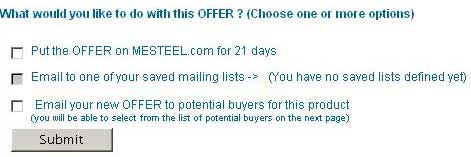
Here you have 3 choices. You can select either of
the 3, or a combination of 1+2, or 1+3.
-
Put the offer on MEsteel:
-If you select this box, it will show your offer to all MEsteel
visitors, in section "OFFERS",
as
well as on top of your company's dynamic home page with MEsteel.
-If not selected, only companies you email this offer to (below), will
be able to see your offer.
- Email to one of your saved mailing list:
MEsteel members can save and edit groups of companies, when making
searches on MEsteel.
You can use these lists here.
- Email your new offer to potential Buyers for this product:
Automatically all buyers of your offered product,
will be searched for on next page.
Submit
NOTE:
-If you select only option 1, offer process stops here, your offer will be
shown online immediately.
-If you select options 2 or 3, next page will show.
|